ATOL bonded · IATA accredited · Providing flights since 2008 4.9 · 21 Google reviewsLeave us a review

Add MV First Travel to your home screen

Keep us one tap away. This saves our website as an icon on your home screen. It isn’t an App Store or Google Play app, so there’s nothing to download and no extra permissions.
iPhone & iPad (Safari)
  1. Open mvfirsttravel.com in Safari.
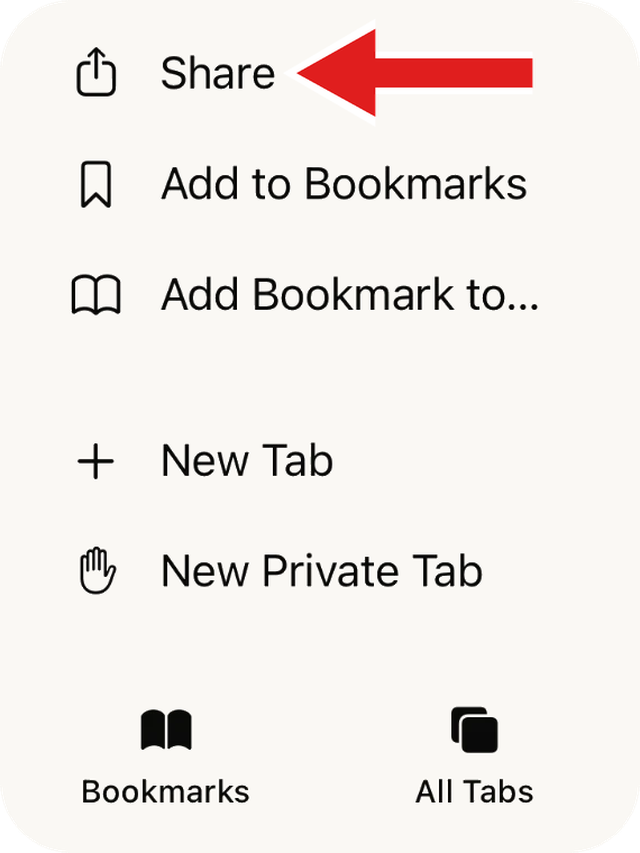
  2. Tap the Share button (the square with an arrow pointing up). It’s at the bottom of Safari on most iPhones; on some it’s at the top, or behind the three dots.
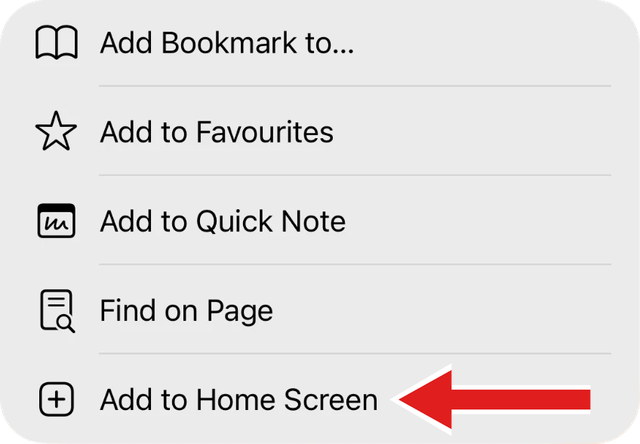
  3. Scroll down and tap Add to Home Screen.
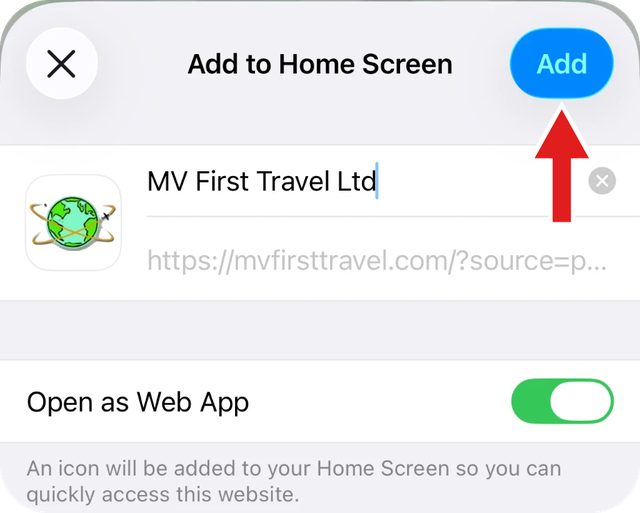
  4. Tap Add. The MV First icon now appears on your home screen.
1. Tap Share
Safari menu with a red arrow pointing to Share
2. Add to Home Screen
Share menu with a red arrow pointing to Add to Home Screen
3. Tap Add
Add to Home Screen box with a red arrow pointing to the Add button
Android (Chrome)
  1. Open mvfirsttravel.com in Chrome.
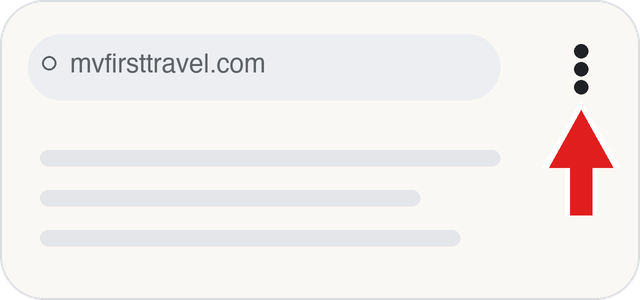
  2. Tap the menu (three dots) at the top right.
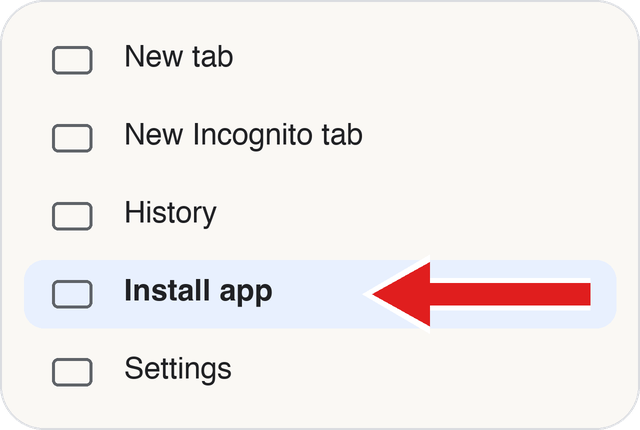
  3. Tap Install app or Add to Home screen.
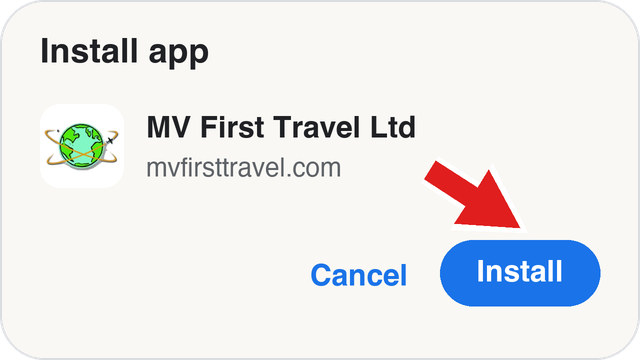
  4. Confirm. The MV First icon now appears on your home screen.
1. Tap menu
Chrome address bar with a red arrow pointing to the three-dot menu
2. Install app
Chrome menu with a red arrow pointing to Install app
3. Tap Install
Install app box with a red arrow pointing to the Install button

Illustrations — your phone may look slightly different.

One tap to get a quote, call us or message us on WhatsApp.
MV First Travel Ltd app icon
MV First Travel Ltd

Stuck? Contact us and we’ll talk you through it.

Call 020 8279 8599 Chat on WhatsApp · Mon–Fri 09:30–17:30